

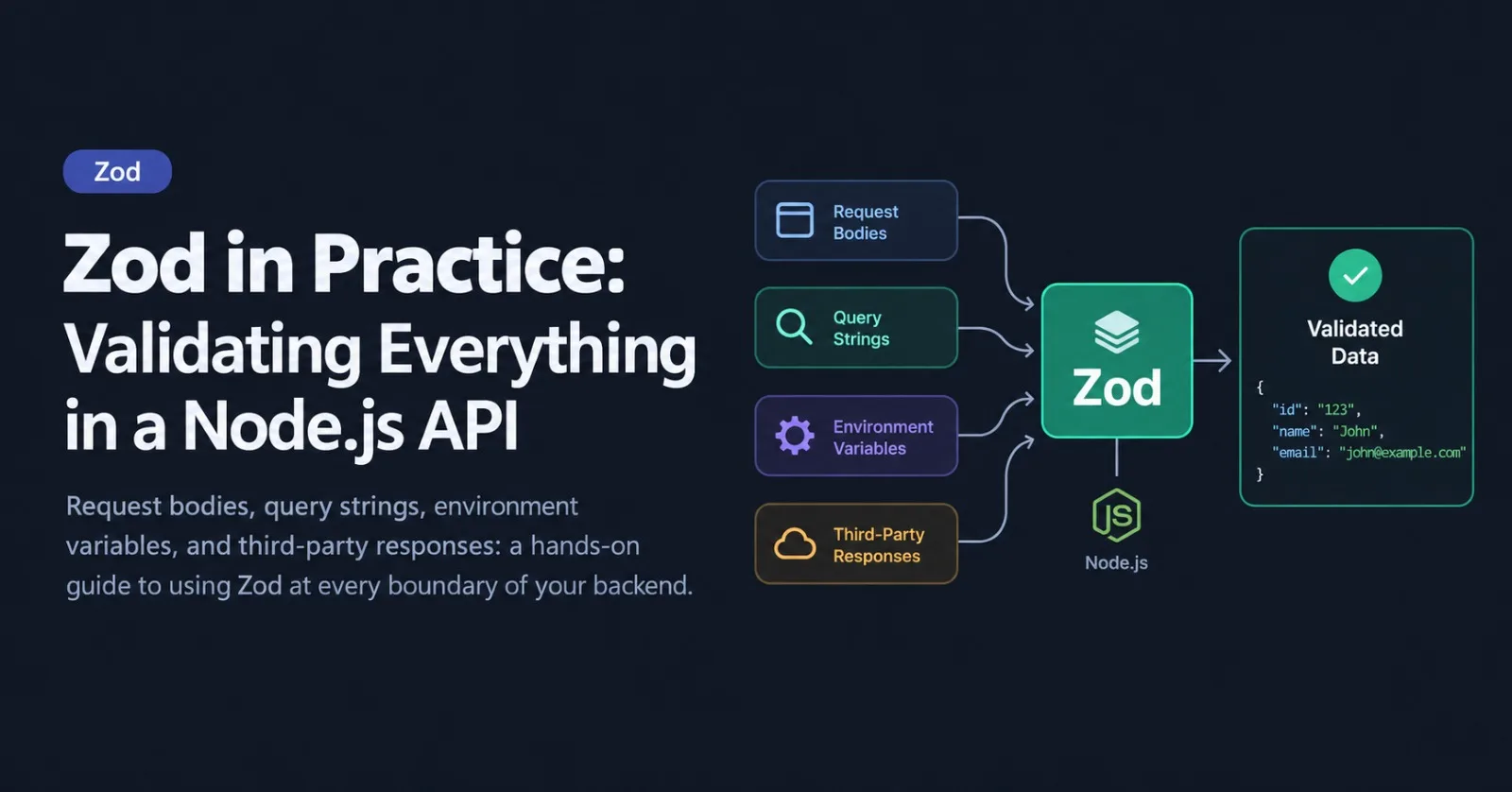
TypeScript gives you confidence at compile time, but the moment your API receives a request, those types disappear. req.body is whatever the client decided to send, an environment variable is always a string (or missing), and the JSON from a third-party API can change without warning.
Zod closes that gap. You describe the shape of your data once, and you get runtime validation and static TypeScript types from the same schema. This guide walks through how to use it in a real Node.js API, from the first request to production habits. The examples use Zod 4, and I'll point out where older Zod 3 code differs.
Why Validate at the Boundary
A boundary is anywhere data enters your program from somewhere you don't control: HTTP requests, webhooks, queue messages, files, environment variables, and responses from other services. Validate there, once, and the rest of your code can trust the types it receives.
The alternative is defensive checks scattered across handlers and services. They drift out of sync, miss edge cases, and don't give clients useful error messages.
Setup and Your First Schema
npm install zodA schema describes the data. z.infer gives you the matching TypeScript type for free:
import * as z from "zod";

export const CreateUser = z.object({
  email: z.email(),
  name: z.string().min(1).max(80),
  age: z.number().int().min(18).optional(),
});

export type CreateUser = z.infer<typeof CreateUser>;
// { email: string; name: string; age?: number | undefined }
Use safeParse when you want to handle failure yourself. It returns a result object instead of throwing:
const result = CreateUser.safeParse(input);

if (result.success) {
  result.data; // fully typed
} else {
  result.error; // a ZodError with detailed issues
}
Note: in Zod 4, string formats are top-level functions such as z.email(), z.uuid(), and z.url(). The older z.string().email() form still works but is deprecated.
Validating Request Bodies
Rather than repeating the parse logic in every route, wrap it in a small middleware:
import * as z from "zod";
import type { Request, Response, NextFunction } from "express";

export const validateBody =
  <T extends z.ZodType>(schema: T) =>
  (req: Request, res: Response, next: NextFunction) => {
    const result = schema.safeParse(req.body);

    if (!result.success) {
      return res.status(400).json({
        error: "ValidationError",
        details: z.flattenError(result.error),
      });
    }

    req.body = result.data; // parsed, cleaned data replaces the raw input
    next();
  };
Then attach it to a route:
app.post("/users", validateBody(CreateUser), async (req, res) => {
  const data = req.body as CreateUser;
  const user = await createUser(data);
  res.status(201).json(user);
});
Express doesn't infer the body type from middleware, so the cast above is needed. Frameworks with type-provider support, such as Fastify with a Zod type provider, can infer it for you automatically.
Because req.body = result.data replaces the raw input, any trimming, defaults, and transformations you defined in the schema are already applied by the time your handler runs.
Query Strings and Route Params
Everything in a URL is a string. ?page=2 arrives as "2", not 2. Zod's coerce helpers convert values before validating them:
export const ListUsersQuery = z.object({
  page: z.coerce.number().int().positive().default(1),
  limit: z.coerce.number().int().min(1).max(100).default(20),
  sort: z.enum(["createdAt", "name"]).default("createdAt"),
  q: z.string().trim().max(100).optional(),
});

app.get("/users", async (req, res) => {
  const result = ListUsersQuery.safeParse(req.query);

  if (!result.success) {
    return res.status(400).json({
      error: "ValidationError",
      details: z.flattenError(result.error),
    });
  }

  const { page, limit, sort, q } = result.data;
  res.json(await listUsers({ page, limit, sort, q }));
});
Route params work the same way. Validating IDs here also stops malformed values from ever reaching your database layer:
const Params = z.object({ id: z.uuid() });
const { id } = Params.parse(req.params);
Two things to watch for:
Don't use
z.coerce.boolean()for query flags. It treats any non-empty string, including"false", astrue. Usez.stringbool()instead, which understands values like"true","false","1", and"0".In Express 5,
req.queryis read-only. Don't try to overwrite it with parsed data. Keep the result in a local variable or onres.locals.
Environment Variables: Fail Fast
Misconfigured environment variables are a classic source of production incidents. Validate them once at startup, and the app refuses to boot with a clear message instead of failing mysteriously later:
// env.ts
import * as z from "zod";

const Env = z.object({
  NODE_ENV: z.enum(["development", "test", "production"]).default("development"),
  PORT: z.coerce.number().int().positive().default(3000),
  DATABASE_URL: z.url(),
  JWT_SECRET: z.string().min(32),
  ENABLE_METRICS: z.stringbool().default(false),
});

const parsed = Env.safeParse(process.env);

if (!parsed.success) {
  console.error("Invalid environment variables:", z.prettifyError(parsed.error));
  process.exit(1);
}

export const env = parsed.data;
Now env.PORT is a real number and env.ENABLE_METRICS is a real boolean everywhere in your codebase, and a missing JWT_SECRET is caught the moment the process starts.
Transforms, Defaults, and Refinements
Validation is only part of the story. Schemas can also clean data and enforce rules that span multiple fields.
Normalizing input. Order matters: clean the value first, then validate it.
const Email = z.string().trim().toLowerCase().pipe(z.email());This trims whitespace and lowercases the string, then checks that the result is a valid email. Without the pipe, a value with trailing spaces would fail validation before it was cleaned.
Cross-field rules use refine:
export const SignUp = z
  .object({
    email: Email,
    password: z.string().min(12),
    confirmPassword: z.string(),
  })
  .refine((data) => data.password === data.confirmPassword, {
    path: ["confirmPassword"],
    error: "Passwords do not match",
  });
The path option attaches the error to the right field, so a frontend can display it next to the correct input.
Async checks are possible with parseAsync, for example checking whether a username is taken. Treat them as a convenience for better error messages, though. The real guarantee for uniqueness is a database constraint, because two requests can pass the check at the same moment.
Reusing Schemas: Create, Update, and Shared Types
Most resources need several related shapes. Define one base schema and derive the rest:
const User = z.object({
  id: z.uuid(),
  email: Email,
  name: z.string().min(1).max(80),
  role: z.enum(["admin", "member"]),
});

export const CreateUser = User.omit({ id: true });
export const UpdateUser = CreateUser.partial();
export const UserParams = User.pick({ id: true });
When the base schema changes, the derived ones follow, so the create, update, and param shapes can't drift apart.
In a monorepo, put these schemas in a shared package. The backend validates with them and the frontend uses the same schemas for form validation and typed API calls, so both sides always agree on the contract.
Validating Data You Don't Control
It's easy to remember request bodies and forget everything else. These are boundaries too:
Responses from third-party APIs
Webhook payloads (after verifying the signature)
Messages pulled from a queue
Data read from
JSON.parse, files, or JSON database columns
const Repo = z.object({
  full_name: z.string(),
  stargazers_count: z.number(),
});

const response = await fetch("https://api.github.com/repos/colinhacks/zod");
if (!response.ok) throw new Error(`Upstream error: ${response.status}`);

const repo = Repo.parse(await response.json());
If the upstream API changes its response, you get a clear validation error at the boundary, not an undefined is not a function three layers deeper. Only describe the fields you actually use, since extra fields are simply ignored.
Shaping Error Responses
Good validation errors help API consumers fix their requests. Zod 4 ships three helpers for turning a ZodError into something useful:
z.flattenError(error)returns{ formErrors, fieldErrors }. It's ideal for flat forms and simple JSON APIs.z.treeifyError(error)returns a nested structure that mirrors your schema, which suits deeply nested objects and arrays.z.prettifyError(error)returns a human-readable string, perfect for logs and startup failures.
A response built from flattenError looks like this:
{
  "error": "ValidationError",
  "details": {
    "formErrors": [],
    "fieldErrors": {
      "email": ["Invalid email address"],
      "name": ["Too small: expected string to have >=1 characters"]
    }
  }
}
Custom messages go through the unified error option:
const Name = z.string().min(1, { error: "Name is required" });If you prefer .parse(), which throws, you can catch the error in one central error-handling middleware and format it the same way everywhere. Whichever approach you choose, keep the error shape consistent across your whole API.
Generating Docs from Your Schemas
Zod 4 can convert schemas to JSON Schema, which is the basis for OpenAPI documentation and many other tools:
const jsonSchema = z.toJSONSchema(CreateUser);That means your validation code can also be the source of truth for your API documentation, instead of a spec file you have to keep in sync by hand.
Common Pitfalls
Unknown keys are stripped by default.
z.object()silently removes fields it doesn't know about. That's usually what you want for safety, but if you'd rather reject unexpected fields, usez.strictObject().Define schemas once, at module level. Building a schema inside a request handler recreates it on every request. Declare schemas at the top of the file and reuse them.
Don't validate everything everywhere. Validate at the boundary, then pass typed data inward. Re-parsing the same value in every internal function is wasted work.
Validation is not authorization or integrity. A valid payload can still be forbidden, and a valid email can still be a duplicate. Keep permission checks and database constraints in place.
Be careful what you echo back. Don't include secrets or sensitive input values in error responses or logs.
Watch the coerce edge cases. Beyond
z.coerce.boolean(), remember thatz.coerce.number()turns an empty string into0. For optional fields where empty should mean absent, usez.preprocess()instead.
Wrapping Up
The pattern is simple and repeats everywhere in a healthy Node.js API:
Define a schema at each boundary: body, query, params, env, and external responses.
Parse with
safeParseand return a consistent error shape.Derive related schemas instead of copying them.
Let
z.inferproduce your types, so the schema is the single source of truth.
Start with environment variables and your most important POST route. Those two changes alone remove a surprising number of bugs, and once the habit sticks, extending it to the rest of your API takes very little effort.
Where does validation hurt most in your current API? Query strings and third-party responses are the usual suspects.
Comments(0)
Join the discussion securely with your ZyVOP account.
Continue on ZyVOP to CommentNo comments yet. Be the first to comment!